
ColorNote
For Android
Screenshot
AppsIntroduction
ColorNote is a versatile and straightforward Android application designed for efficient note-taking and organization. This app allows users to quickly jot down notes, memos, emails, messages, and maintain shopping lists and to-do items with ease. Its most defining feature is its simplicity combined with powerful functionality, making it stand out among similar apps. Users can look forward to an intuitive interface and a range of features including color-coded notes, reminders, and syncing options for seamless note management.
Effortless Note Organization
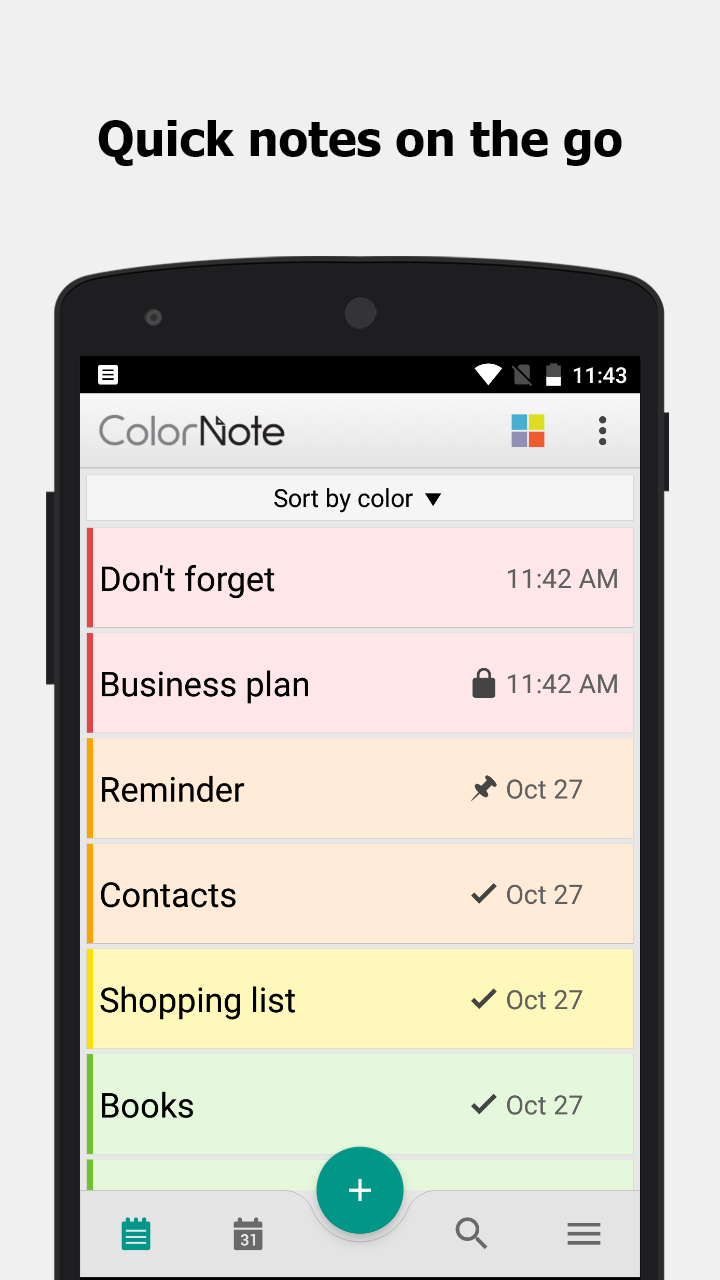
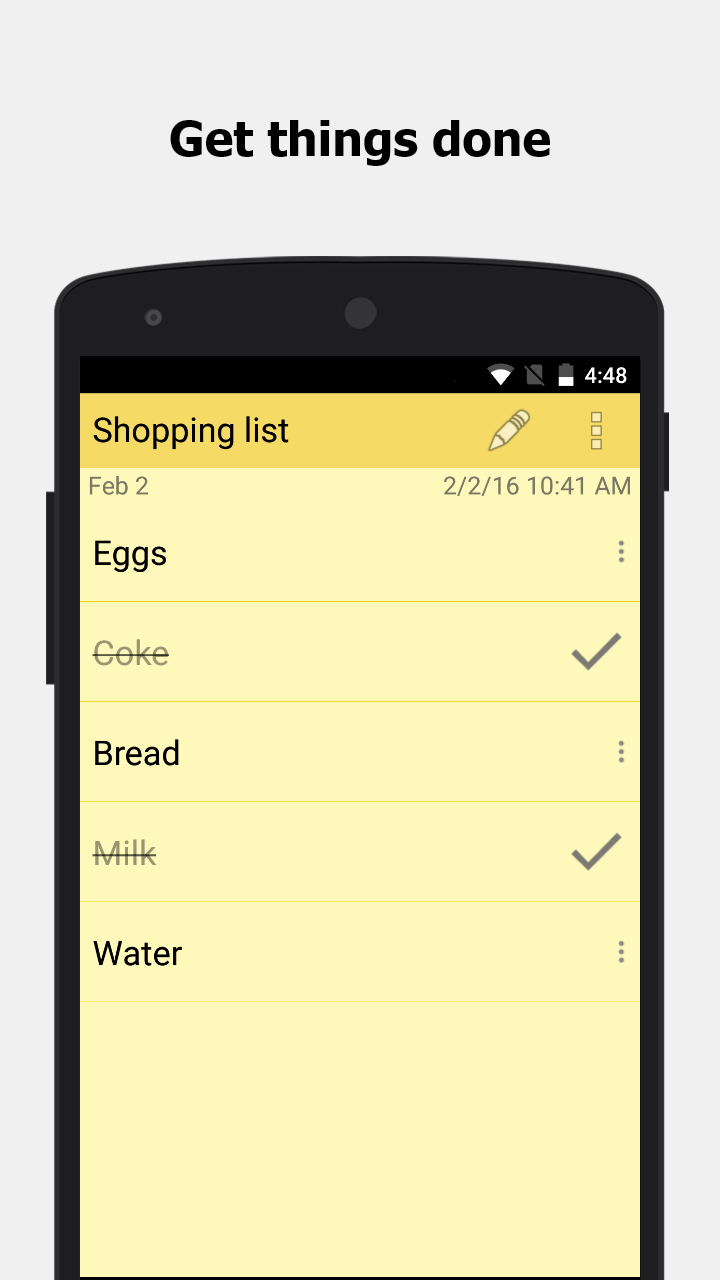
ColorNote offers two primary formats for organizing notes: a lined paper style for textual notes and a checklist format for managing tasks or shopping lists. Users can add multiple notes to the main list, which appears whenever the app is opened and can be sorted by date, color, or grid format. This allows for easy access and organization tailored to individual preferences.
Writing and Managing Notes
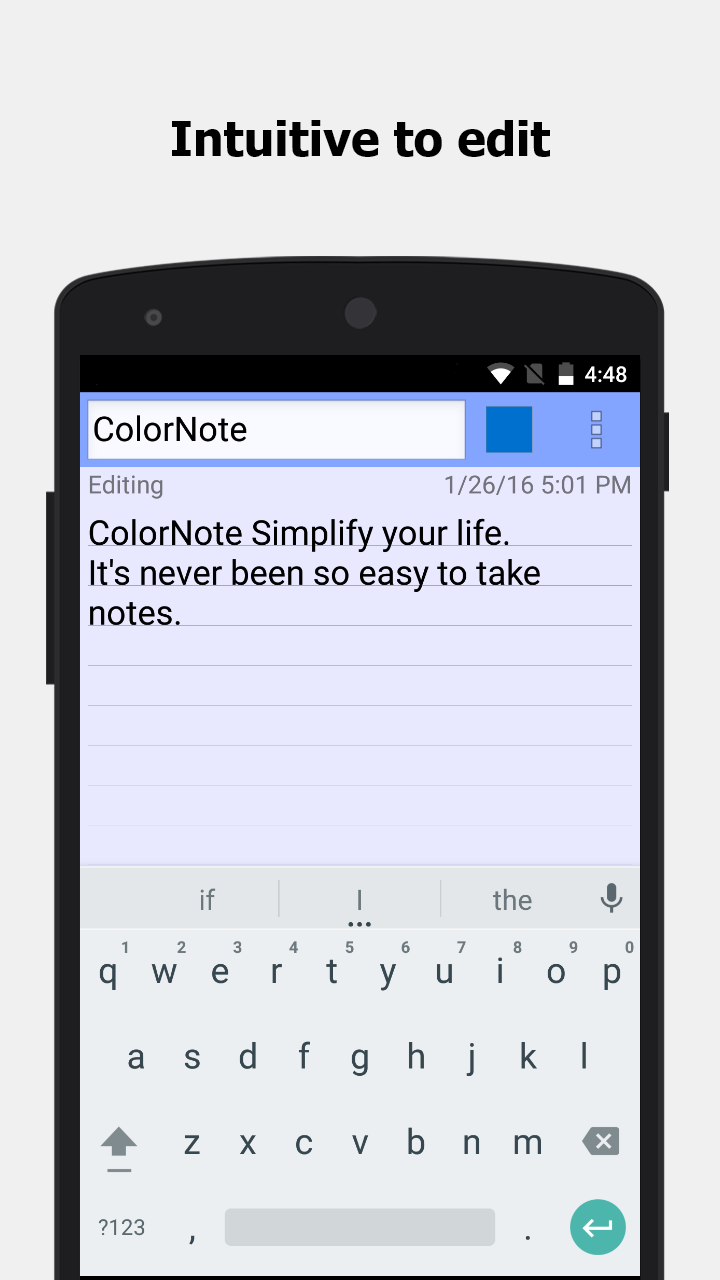
The app functions as a basic word processing tool within the text format, where users enjoy unlimited character input. Once a note is created and saved, it can be edited or shared via the device’s menu options. For checklist-type notes, items can be added, rearranged, and marked complete with a simple tap. The visual updates like strikethrough on completed tasks help users track their progress effectively.
Advanced Features for Enhanced Productivity
ColorNote extends beyond basic note-taking with its suite of advanced features:
-Color-coded notebooks for easy categorization.
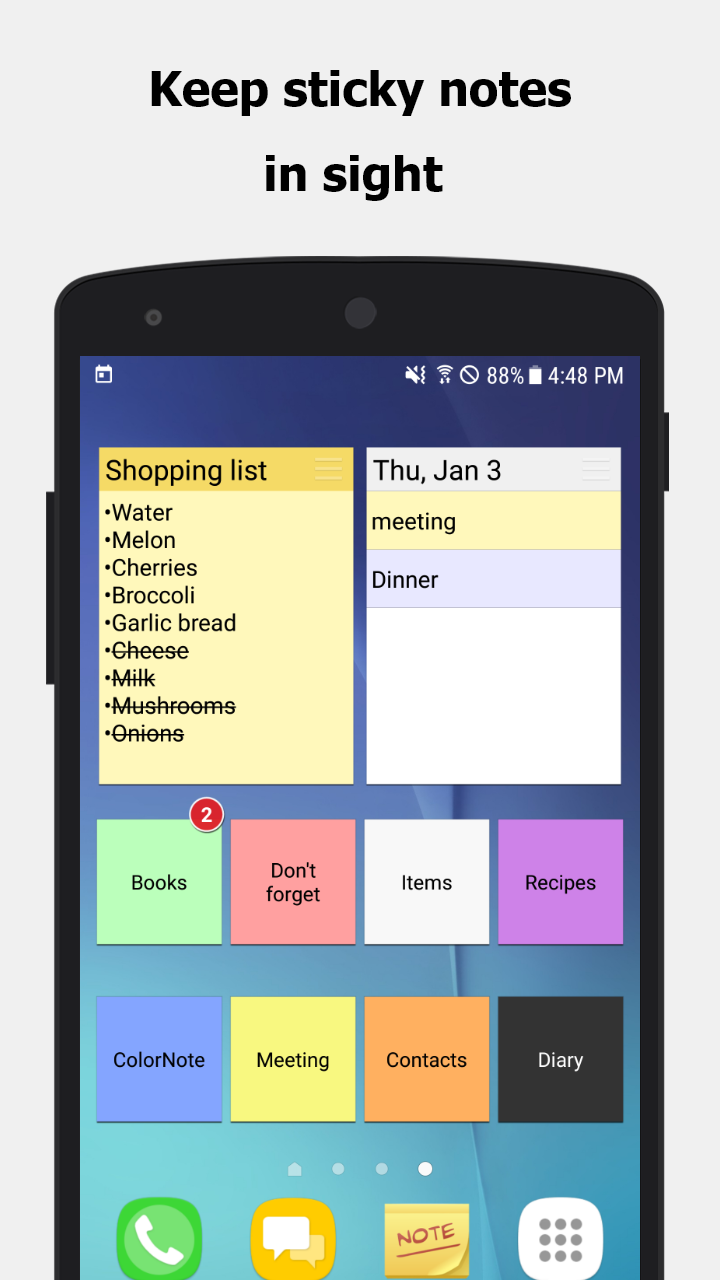
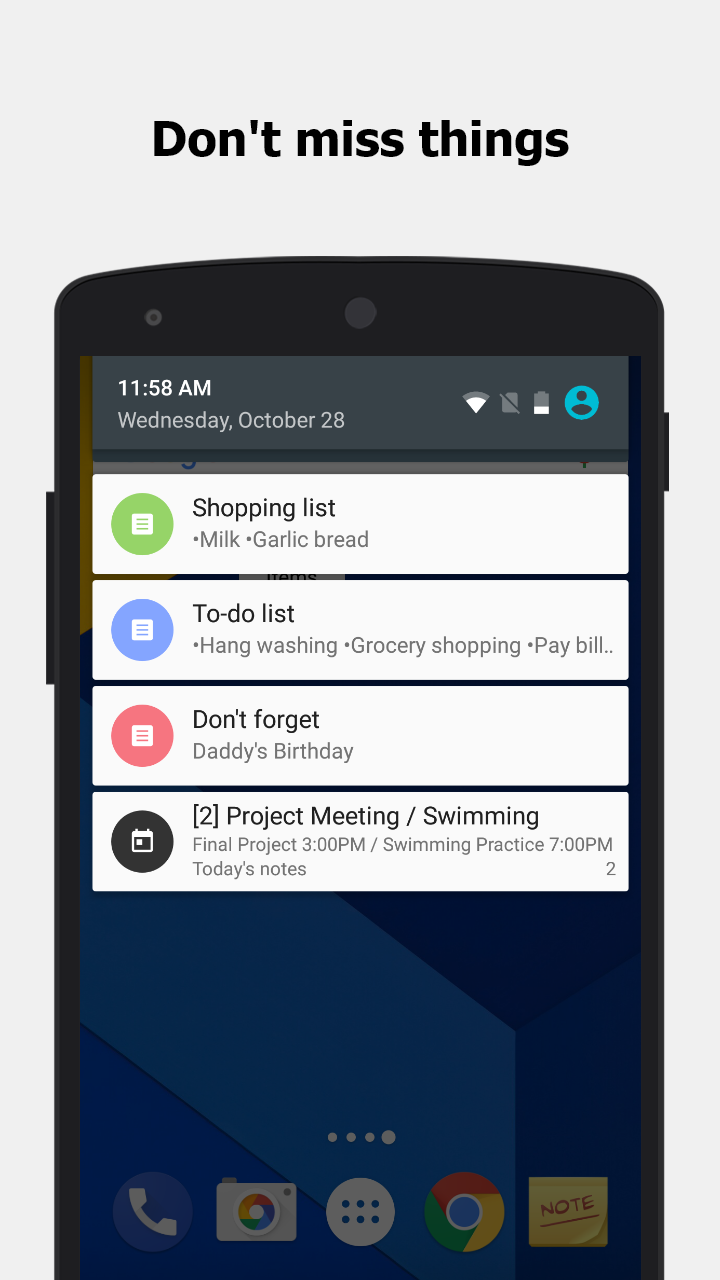
-Sticky notes widget for pinning important notes to the home screen.
-Task scheduling and diary entries within a calendar interface.
-Password protection for sensitive information.
-Secure backup options to SD card and online platforms ensure data safety and easy sync across devices.
-Customizable reminder notifications including time-based alarms and all-day events.
Secure Backup and Cloud Sync
Security is paramount with ColorNote, as all notes undergo AES encryption before being uploaded, ensuring a high level of data protection. Users can back up their notes online without fear of unauthorized access. Only the user, authenticated through Google or Facebook, can manage their backup data, offering peace of mind.
Resolving Common Issues
Should the widget stop functioning, it’s likely due to the app being moved to an SD card. To restore functionality, users should move ColorNote back to the device storage and restart. For those who have forgotten their main password, unfortunately, ColorNote does not offer a recovery option, further emphasizing its secure design.
Conclusion: A Handy Tool for Day-to-Day Note Management
ColorNote proves to be an indispensable application for users needing a simple yet comprehensive tool for managing everyday notes and lists. Its ease of use, combined with robust features like secure backups and color-coded organization, makes it an appealing choice for any Android user. Those interested in streamlining their digital note-taking can explore ColorNote for its intuitive interface and reliable performance.
```Apps Information
Size
6.06M
Language
English
Developer
Notes
Version
v4.9.4
Updated
11 16, 2026
Package
com.socialnmobile.dictapps.notepad.color.note
Category
System Tools
Related Topics
More- Travel Apps Free
- Best Shopping Apps
- Video Players Apps

11 16, 2026Update
Discover the best free travel apps for iPhone in 2026 and make every journey easier. Download useful travel applications for flight bookings, hotel reservations, navigation, trip planning, and local recommendations. Explore convenient features, find exciting destinations, organize your adventures, and enjoy smarter travel experiences wherever your next trip takes you.




11 16, 2026Update
Discover the best online shopping apps for clothes and enjoy a convenient fashion shopping experience. Download popular clothing apps to explore the latest trends, stylish outfits, shoes, and accessories. Compare prices, find great deals, browse different fashion collections, and shop for your favorite clothing items anytime, anywhere.



11 16, 2026Update
Discover the best free video player apps in 2026 and enjoy a seamless entertainment experience on your Android device. Download video players supporting multiple formats, high-quality playback, subtitles, and smooth streaming. Explore useful features, manage your media library, and watch your favorite movies and videos anytime, anywhere.
- View
 TABNET
Travel & Trips / 179.43MB
- View
 Microsoft Excel
System Tools / 134.92MB
- View
 ReelShort
Entertainment Apps / 121.47MB
- View
 LA Lakers Official App
Entertainment Apps / 166.38MB
- View
 18Birdies Golf GPS Rangefinder
Entertainment Apps / 104.45MB
- View
 Brookshire’s
Fashion Shopping / 117.78MB
Related News
More


You Might Also Like
Change




Similar Apps
More- View
 GPS Tools
67.39M
- View
 Image Resizer
26.38M
- View
 Fancy Text Symbols
29.39M
- View
 Ultra Flash
16.98M
- View
 Material Capsule
23.88M
- View
 CamScanner
237.25M
- View
 PLAYit
49.69M
- View
 Network Manager
39.18M
- View
 InternetGuard
7.71M
- View
 CapCut
310.92M
- View
 Notein
325.69M
- View
 Root Checker
12.47M
- View
 Electrical Cost
3.7M
- View
 Metal Detector
7.69M
- View
 YourHour
7.43M
Featured Topics
More

Popular Apps
More- View
 Paris 2024 Olympics
34.57M
- View
 MR PORTER
60.45M
- ViewGPS Tools
67.39M
- ViewImage Resizer
26.38M
- View
 Colorfy
99.10M
- ViewFancy Text Symbols
29.39M
- View
 Ume Icon Changer
6.99M
- ViewUltra Flash
16.98M
- ViewMaterial Capsule
23.88M
- View
 MOOD LIVE
147.17M
- View
 MX Player
102.35M
- View
 WeTV
70.80M
- View
 Nova Launcher
35.62M
- View
 Radio FM
115.30M
- View
 SimSimi
205.11M
Question
- Download failed
- Outdated Resources
- Resource Error
- Viral Applications
- 淫秽色情
- 赌博
- 反政暴动
- 诈骗
- 侵权
- 其他
说明
Tel
举报或纠错